
Загрузка...
Lord of Verminion is a competitive mini-game in which a player engages an opponent using summoned minions. The objective for winning the game is to have the minions destroy all of the opponent's “Arcana Stones” placed on the battlefield.
Players can participate in matches against other players or against NPCs.
Stats and ability types vary from minion to minion, making it possible to bring together different special actions for diverse battle strategies. Lord of Verminion is a strategy-based mini-game conducted in real time, which means the player
will need to plan their minions' positions during combat.
 Getting Started
Lord of Verminion will be available upon unlocking the Gold Saucer.
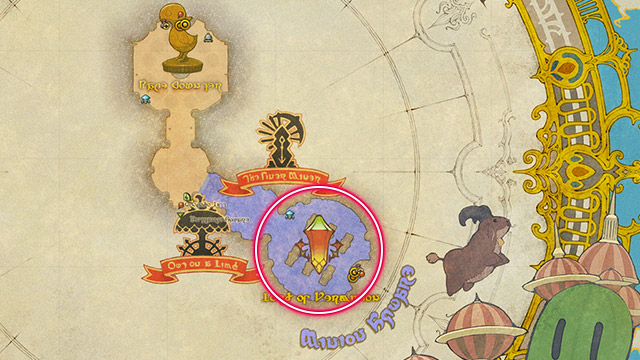
Players can access Lord of Verminion in a new area called Minion Square, located inside Chocobo Square. Players can enter Chocobo Square by speaking with the lift operator Saethrith at Entrance Square (X:4.4 Y:6.7).
In order to prevent congestion in the Gold Saucer, Chocobo Square has been divided into two instances. Players will be moved to one of these two instances at random when entering Chocobo Square, even when joined in a party with others. To
enter an instance together with party members, please speak with the lift operator Saethrith at Entrance Square (X:4.4 Y:6.7) at roughly the same time as those you wish to enter with. Please note that this does not guarantee all players
will enter the same instance together. In the event you and your party members enter different instances, please exit Chocobo Square and try again.
Three minions or more are required to play Lord of Verminion. Before the match begins, players will select which minions to summon using the special minion hotbar. To edit the minion hotbar, select the Verminion tab in the Gold Saucer window under Character in the main menu.
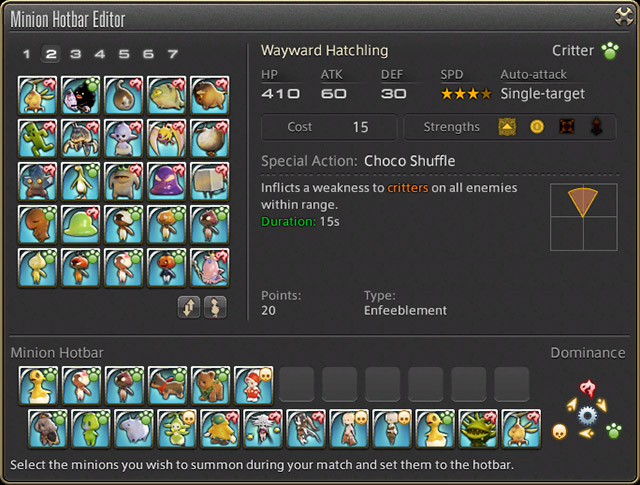
* The minion hotbar can also be edited from the Minion Guide under Character in the main menu.
LoVM can be accessed from Chocobo Square (X:7.1 Y:6.5) and there you will be able to register for various battles through the LoVM tables.
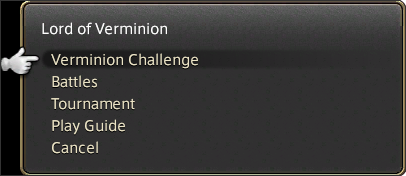
Selecting one of the following battles at the LoVM tables will open the Gold Saucer tab of the Duty Finder, where you can confirm your desired battle and register. It is also possible to access these battles directly from the Duty Finder from any location. Please note, however, that you must first clear Stage 2: Hatching a Plan under Verminion Challenge.
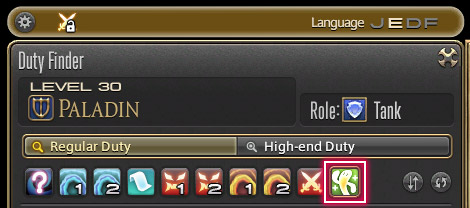
| Battle | Requirements |
|---|---|
| LoVM: Player Battle (Non-RP) | A party of three or fewer people. |
| LoVM: Player Battle (RP) | Not in a party. |
| LoVM: Master Battle | Not in a party. |
| LoVM: Master Battle (Hard) | Not in a party. |
| LoVM: Master Battle (Extreme) | Not in a party. |
| LoVM: Tournament |
Not in a party.
A tournament must be ongoing at the time of registration. Must be registered in the tournament. All tournament matches are not yet complete. |
| LoVM: Master Tournament |
Not in a party.
A tournament must be ongoing at the time of registration. Must be registered in the tournament. All tournament matches are not yet complete. |
The rules and basic controls for LoVM can be learned by playing through the Verminion Challenges. Boss battles and a variety of other types of battles can be enjoyed using this feature.
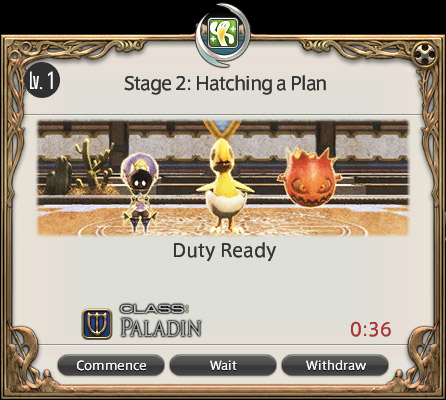
・Player Battle (RP)
Players can play against one another by selecting the Player Battle (RP) mode. For these battles, you will be paired against someone with a similar number of RP to you.
・Player Battle (Non-RP)
For non-RP player battles you will be able to battle anyone of your choosing. By forming a party with the player you would like to go up against, you will be given the option of selecting them as your opponent.
* RP will not be affected by the outcome of these battles.
・Master Battle
This single-player battle mode is divided into three levels of difficulty. Players are welcome to try playing through all three of these levels.
This option is for tournaments and can only be accessed when a tournament is being held. For more details, please refer to the “Lord of Verminion Tournaments” section below.
* When initially accessing LoVM, only “Stage 1: Tutorial” of “Verminion Challenge” will be available. Other stages and modes will unlock as you continue clearing the various Verminion Challenges.
* When registering for a battle, you will be unable to access the Duty Finder or apply for chocobo races.
* The following actions, if repeated several times, will incur a penalty, preventing players from registering for battle:
Basic Controls
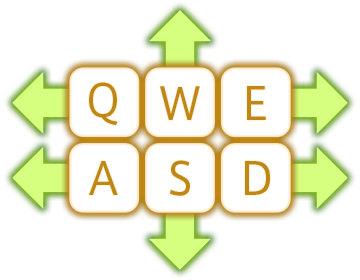
W, S, A, D, Q, E
Left and right-click together function in the same manner as the W key. The mouse wheel can be used to zoom the camera in and out.
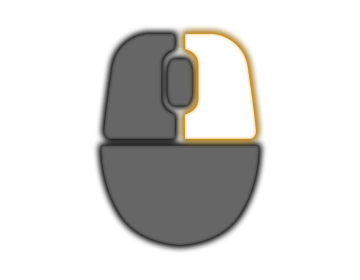
Drag Right
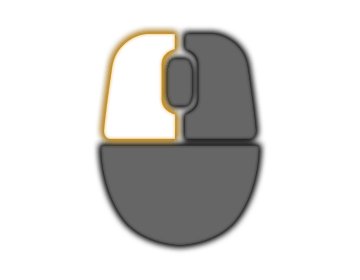
Left-click
Drag Left
Spacebar
* By left-clicking with the mouse on the selected minion, you can select all nearby minions of the same type.
Select a minion and right-click the destination
| Command | Keyboard & Mouse |
|---|---|
| Selecting a minion to summon | Slots 1-12 of Hotbars 1 and 2 |
| Cycle Summoning Gates | Z key (Draw/Sheathe Weapon) |
| Executing an Action | Slot 1 of Hotbar 3 |
| Triggering a Trap | Slot 2 of Hotbar 3 |
| Withdrawing | Slot 3 of Hotbar 3 |
| Battle List Display | Minion Guide * |
* While in battle, it is possible to pull up the Battle List by hitting the Minion Guide keybind.
